Applications and Solutions
There are many uses for bar code applications. Most often we hear of Point of Sale (POS) or inventory control. However, there are many more uses for bar codes and Automatic ID than these applications. Nearly every type of industry is using bar codes to replace keyboard data entry. Bar coding is about 20 times faster and 20,000 times more accurate than keyboard data entry.
Here are just a few applications where you can increase productivity and accuracy and decrease cost almost immediately:
- Inventory Control
- Work in Progress (WIP)
- Security "With the Touch of a Button"
- Moving Target Applications
- End of Year Inventory
- Point of Sale (POS)
- Point and Touch Applications
- Credit Card Processing
- Accounts Receivable
- Marketing and Business Reply
- Fax Automation Processing
- Time and Attendance
- Biometric Applications
- Voice Recognition
- Custom Applications
Each of these applications is described in the following sections. A few of these applications are common in industry and are provided here for a general overview. Others, such as Credit Card Processing and Marketing, are less common uses where both savings in time and accuracy can improve your business substantially.
Inventory Control
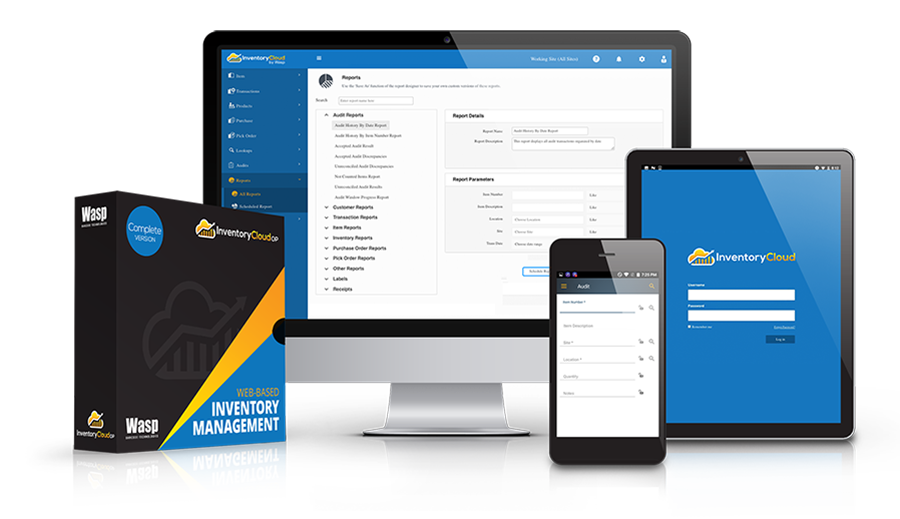
Bar coding for inventory and warehousing applications has been around for quite awhile. Viewed in the simplest manner, a warehouse must receive, inventory, and ship product efficiently. When mistakes are made in the warehouse, problems are often compounded before they are corrected. For example, if an item is incorrectly pulled from stock, not only would inventory be off, but the mistake of shipping the incorrect item would cause customer dissatisfaction, increased shipping and overhead costs, additional man-hours to "adjust" the problem, etc. Automatic ID has been a driving force in improving Inventory Control operations. Many affordable solutions now exist and can be implemented to improve productivity and reduce errors in what has historically been marketed only to Fortune 500 companies.
Whether a company is small or one of the Fortune 500, Inventory Control is not an option, it's a must. In today's competitive market, with smaller profit margins, inventory levels must accurately be maintained. Solutions exists starting from integrating a simple wedge decoder to more complex RF data collection systems. Most companies already have inventory applications currently installed. While some of these applications can be improved, the focus of this section is to provide a more efficient way of getting to and updating the host information.
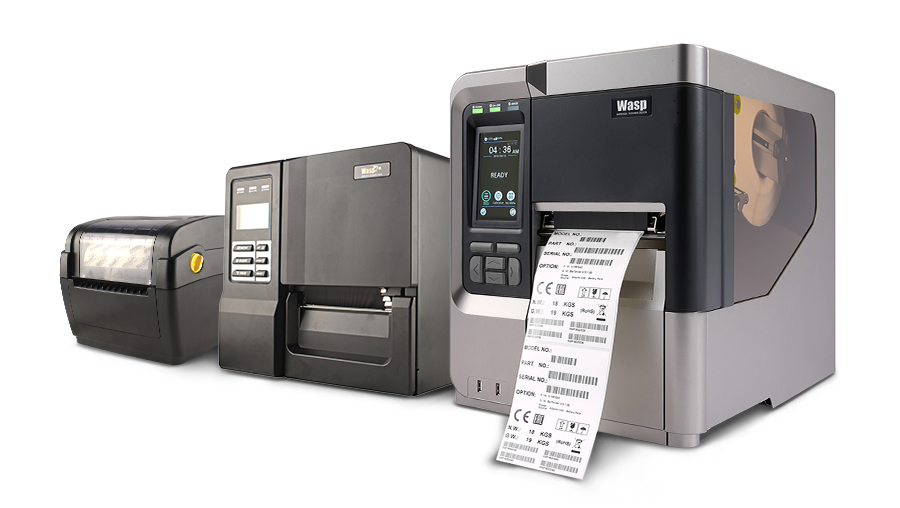
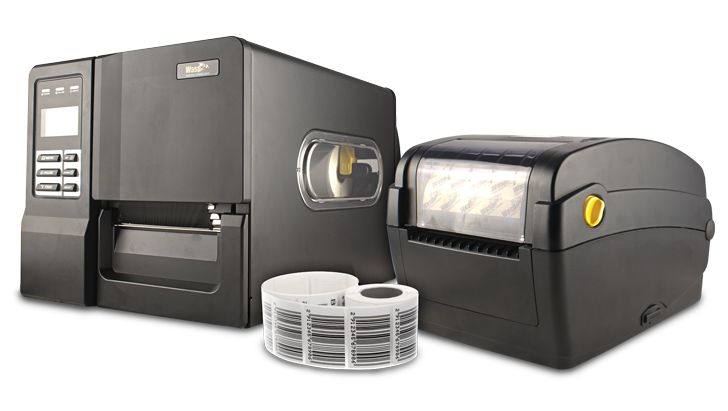
To begin with, when the inventory is received, each product must be properly labeled. Most off-the-shelf programs can accommodate any kind of label. The label itself can practically be any material including paper, vinyl, polypropylene, or polyester. These are the most common facestocks available (for additional information, see the Ribbons and Labels section). Paper is the most common face stock and the least expensive. If the label must be smudge or smear resistant and/or hundreds or thousands of labels will be created daily, it is probably best to use a thermal transfer or direct thermal printer. Otherwise, a common office dot matrix or laser printer is sufficient to print labels.
The label must include a printed bar code. For most inventory applications Code 39 or Code 128 is adequate. The part number which is usually bar coded and a description of the part are often the minimum contents on the label. The time and date can also be added. Once the items are labeled, there are many solutions to maintain an accurate inventory.
If the warehouse is relatively small, the items for an order can be verified with a simple scanner and wedge decoder setup. The items must be physically brought to a terminal station. In a small warehouse, this is the least expensive approach to begin implementing bar codes for Inventory Control. Extenders can be added to some wedge decoders to have wireless scanning capability of up to 100 feet. If the warehouse is more than 30,000 sq. ft. Radio Frequency (RF) should be considered.
RF solutions provide real-time access to a central database in which the on-hand, committed, and on-order values are kept for each item. Radio Frequency Data Collection (RFDC) eliminates the inefficiency of an individual walking back-and-forth to a host terminal to query the database. As previously mentioned, there are now affordable RFDC systems that can be installed in practically any warehouse environment. With this configuration, the worker generally scans the item at the bin location for one of several reasons (1) to determine if it is the correct item, (2) to directly update the host database, (3) to locate additional inventory, and (4) to immediately update and flag any discrepancies for unexpected stock outages. RFDC is certainly a remarkable technology for inventory control.
If RFDC is cost prohibitive and/or real-time access to the host computer is not necessary, batch Portable Data Terminals (PDT) are an alternative.
Several clever methods can be employed with PDTs to simulate real-time access with a host computer by loading the database onto the portable reader. If this is coded in C or PASCAL, this will generally require several weeks of development time to get an initial program working. The key though is that simulated configurations are not real-time. The user must still manually upload the information at a workstation. With decreasing prices and today's technology, RFDC should be considered first if real-time access in necessary. Most PDTs have resident operating programs and can easily be programmed to record inventory. Applications can be written to prompt the user to input certain fields such as the item number and quantity. Additional fields can prompt for the warehouse number, aisle, bin, and shelf. When the operator has completed the set of tasks, the PDT is connected to a host terminal so that the inventory file can be uploaded. For most warehouse applications, an RF or Portable Data Terminal (PDT) is critical to accurately count and pull inventory. For additional information on which terminal to use, see the On-line vs. Off-line section under Radio Frequency Data Collection heading.
Work in Progress (WIP)
By using bar codes to track work in progress, a manufacturing manager can monitor the activity of all job locations and increase productivity by eliminating the need for machinists and/or assemblers to spend unproductive time manually entering in their respective activities. Fundamentally, a manufacturing company's inventory consists of raw materials, work in progress (WIP), and finished goods. WIP is the link between raw materials and finished goods and is generally the most complicated process of which to maintain inventory control. WIP includes materials that will be integrated into sub-assemblies and the series of steps to build a finished product.
WIP can account for 25% and even up to 30% of the yearly cost of inventory. Ideally, WIP inventories should be reduced to just-in-time levels to minimize these cost. In reality, if WIP is not closely monitored, production schedules, quality, obsolete inventory, and higher inventory problems can occur.
A WIP system should minimally consist of scanners at each workstation that connect to a central computer such as a mainframe or minicomputer. A bar coded label should be strategically placed on the part or container so that when the order is completed an assembler can easily scan the WIP order when it is finished. A work order should also follow the part(s). Using a simple wedge decoder and scanner, productivity can be increased substantially. As an assembler completes the task, the work order, quantity, and employee ID can be scanned. Once the information is scanned, production can be closely monitored so that WIP levels can be optimized.
Security "With a Touch of a Button"
Touch Memory Buttons are a relatively new identification technology that utilizes memory circuits sealed into small, button-sized stainless steel containers. With just one touch from a reader or probe, a data communication path is established. The data is transferred through the stainless steel lid into the memory chip to initiate a read or write. The container protects the chip from dirt and corrosion and can be attached to almost any object. These memory buttons can hold several thousand bytes of information and are often used in harsh environments where contact reading is acceptable. These memory buttons are in essence a portable data file that can electronically travel with an object that is not only secure but reliable.
These memory buttons are used extensively for access control and guard tour programs. For example, if your company requires a guard to tour your campus to regularly patrol the premises, touch memory can substantially value add to this procedure by electronically recording the times at which security control points are checked and by eliminating the old-fashioned pen and paper. No more guessing as to whether a checkpoint was secured or not. Touch memory probes are relatively inexpensive and several third-party software packages exist for types of security applications.
Memory buttons are now being employed to track postal collection times, attendance at work and trade shows, and vehicle maintenance. Healthcare, financial access control and warehousing are other potential market areas.
Moving Target Applications
There are as many different tracking applications with many different solutions to offer. This section will deal primarily with tracking packages, pallets, vehicles, equipment, etc. without the necessity to stop movement. RF/ID uses proximity readers for "on-the-fly" movement applications which are extremely accurate. Proximity readers are designed for any applications where an individual or equipment will be in a close proximity but not in direct contact with an access control device or tag reader. As an example, many car owners can now purchase toll tags which are usually applied to the corner of windshields allowing drivers to drive straight through toll booths without stopping to deposit any money.
Other common applications for proximity readers include access control and time and attendance. Proximity readers have a range from about 6 inches to 6 feet and function the same as most card access systems. When used with time and attendance software, the proximity readers can be installed at all entrance points to record movement in and out of the building. No more punching in or out is required. The time and attendance procedure could now be performed automatically.
End of Year Inventory
Traditionally, companies close down to count stock at the end of a fiscal year. Employees dress down and get on their hands and knees to begin a one or two day or even week long task of physically counting the entire inventory. Teams of individuals armed with pen and paper are responsible for counting specific sections of the warehouse.
In comparison to using a pen and paper, the amount of time required for the yearly inventory could considerably be reduced by simply using Portable Data Terminals (PDT). Fewer people could even be employed to prevent the company from having to shut down for a few days. In addition, the inventory accuracy would substantially increase because handwriting would not have to be "interpreted", flipping through scores of pages and marking the wrong item would be eliminated, and the steps and procedures required to manually log the data would be practically reduced to a single step. Inventory would not have to be recorded twiceÑ once during physical count and subsequently keyed into a host computer.
Since the end of the year inventory is generally performed once or twice a year, users will generally not need to access the host computer during real-time during physical inventory. If it is necessary, a Radio Frequency Data Collection (RFDC) system can be implemented. If the user must view the current stock, the host inventory can be loaded onto most portables to simulate inventory database access.
Most PDTs have resident operating applications (programs) that can be easily programmed to count inventory. Applications can be written to prompt the user to input certain fields such as the item number and quantity. Additional fields can prompt for the warehouse number, aisle, bin and shelf. When the operator has completed a set of tasks, the PDT is connected to a host terminal so that the inventory file can be uploaded. The PDT is typically connected to the serial port on a host terminal (such as a PC) using a null modem cable. An inventory application running on the PC or host computer in turn processes the file to store the appropriate information.
Point of Sale (POS) Applications
POS is by far the most common use for bar coding and one of the oldest. Bar code systems have now been installed throughout retailing, from small gift shops to the largest discount chains. Even small stores find that bar coding is practical because it speeds up checkout, tracks stock, and assures pricing accuracy. With the advent of wedge decoders, bar coding can now be applied to most host systems and terminals at a relatively low cost.
Some stores place fixed mount scanners on the counter tops, while others find it more practical to use hand held scanners to read bar codes such as the UPC code in the supermarket industry. If most purchases consist of several items that are purchased on a single order, such as in a grocery store, then an in-counter scanner might be more appropriate. In either case, the scanner is directly connected to a PC or cash register.
The terminal or register is directly connected to a network or indirectly connected to a central database using a store controller. The central database is usually maintained on-line so the inventory levels can be adjusted automatically. The POS system itself should minimally support various payment methods (cash, credit card, etc.), perform price look ups, calculate tax and tabulate total sales. A receipt printer must be used to print the sales ticket. Thermal, dot matrix or sprocket printers are available.
If labels need to be created in-house, the retailer has many options to choose from. The label can practically be any material including paper, vinyl, polypropylene, or polyester. These are the most common facestocks available (for additional information, see the Ribbons and Labels section). Paper is the most common facestock and the least expensive. If the label must be smudge or smear resistant and/or hundreds or thousands of labels will be created daily, it is probably best to use a thermal transfer or direct thermal printer. Otherwise, a common office dot matrix or laser printer might be sufficient to produce labels. Many retailers use hang tags or self adhesive labels or even a combination of these two types of labels in store. If necessary, labels can also be printed off-site.
Point and Touch Applications
Many business environments might preclude the use of a keyboard because of available space in certain work areas and prefer to point or touch a screen to step through a series of menus. Generally, these type of applications have limited menus or options to access to simplify the user interface. Applications such as food service management systems, point of sale, automotive diagnostic, healthcare, etc. are a few examples of these applications.
Light pens are electro-optical data entry devices used to indicate specific positions on a monitor. Light pens are quite easy to use and operate and require very little training. They are used in applications that require a user to point directly at a monitor or CRT (Cathode Ray Tube). A light pen is an ideal pointing device when data input has to be input by touch. Light pens can be integrated with most terminal devices, and therefore, do not require a special monitor to be installed. In addition, light pens provide greater "pointability" resolution than do most touch screens.
Light pens can highlight and drag words, cells, or pictures from point to point or even move windows around on the screen. Pointing can be more natural and beneficial with some applications than using a mouse, trackballs, or joysticks.
Touch monitors have a built-in capacitive screen which when touched by a finger activate menus, programs, or other supported features of the software application. False screens can be attached to some terminals which converts the monitor into a touch screen.
In general, when desktop real estate is important, and a keyboard is just in the way, consider using a light pen or touch screen.
Credit Card Processing
Ordinarily, most businesses process credit card transactions using a stand-alone software package supplied by their bank or financial institution. Third party software is available that will support most credit card transactions. If the supplied credit card package is a stand-alone application, the user's host application will not be able to pass information from a sales transaction to the credit card software because of it's restrictive design. The customer's information and the sales information must manually be entered into the credit card program.
Of all general business transactions, credit card processing involves the most repetitive data entry job where many mistakes are made. Numbers are transposed, decimal places in the dollar amounts are off by one or two digits, numbers are incorrectly keyed in, etc. The credit card number alone has 10 or more random digits! By bar coding the credit card number, the expiration date, and the dollar amount on the order, an operator can achieve nearly 100% accuracy and save as much as 50% of the processing time for each credit card transaction with a simple bar code wedge decoder and a CCD scanner.
If the credit card number, the expiration data, and the dollar amount were bar coded, the operator would simply scan each of these fields directly into the credit card application. Most wedge decoders even support pre- and postamble characters that allow TAB keys, ENTER keys, as well as many other characters to be appended to the data to step the operator through the same keystrokes required to enter the information manually. If high-volume credit card processing is a routine procedure, this solution is a must.
Accounts Receivable Applications
In most Accounting departments, an Accounts Payable group is responsible for sending out invoices to be remitted. Likewise, an Accounts Receivable group is responsible for posting payment. As with most companies, this is a daily routine that can be repetitious and take quite a long time to process all payments and accurately post each one in a timely fashion.
By simply printing a bar code of the invoice or customer number on all remittance invoices, Accounts Receivable can quickly scan the number directly into the existing software application and post payment with no modifications to the accounting program. By using a scanner and wedge decoder to input the information, the customer number will appear on the screen as if someone had actually typed it from the keyboard. The accounting software then marks the appropriate invoice as paid. Not only is the productivity increased, but the accuracy as well. This is the same procedure that many of the Fortune 100 companies use with their remittance slips.
Another means to improve efficiency for Accounts Receivable would be to OCR the customer number directly into the application. The best illustration is portrayed during checkout at large retail stores that can automatically verify a customer's account using the banking information at the bottom of a check. The cashier places the check into a document reader which in turn decodes the bank number to verify that the account is not outstanding. Even though some of these Point of Sale systems are very complex, the principal is the same. Information that is human readable is automatically entered and processed by the host application. Data entry time is dramatically reduced and errors are practically eliminated.
Depending upon the current configuration of the Accounts Receivable department, hand held scanners would generally be recommended with a wedge decoder. An autosense scanner could also be employed to have a hands-free operation by allowing the user to simply place the bar coded invoice underneath the reader. In general, if human readable characters are required then OCR is an alternative. However, it is probably more practical to position a human readable number underneath a bar code when possible.
Marketing and Business Reply
Business reply is usually a marketing activity to record product registration, surveys, direct mail, or market research. When a card is returned, a data entry operator generally queries the database for the customer number, zip code, business reply code, or some tracking identifier. By bar coding one of these on a business reply card, a company can substantially reduce overhead expenses by increasing productivity.
As a business reply cards comes in, a data operator will usually type the number into a database application. By bar coding a "tracking" number on the business card, not only is it much more accurate to query the database, with the correct customer for example, but this can also reduce the overall time that it takes to input the new data. Informatics uses this technique on business reply cards. What has in the past taken nearly two weeks to accomplish, can now be accomplished in two hours.
Fax Automation Processing
If forms for surveys, sales orders, product registration, credit applications, market research, etc. are sent out with the intention of receiving the form back, consider automating the current fax procedures. Although, fax automation has really nothing to do with bar coding, it is a means to automate procedures efficiently to reduce overhead expenses such as data entry.
Most fax automation products are Windows based and require that the existing form be redesigned using a supplied manufacturer's design tool. The design tool places a unique key code on the form in one or more of the four corners on the form. The key code is generally a unique mark on the form to distinguish one form from another. When a fax is received, the key code is interpreted by the fax software to identify which form is being sent. After the fax has been received, the software automatically reads and processes hand printed and/or bubble-filled entries entered by the user sending the fax. This information can be transferred into a central database to be processed immediately by the host for applications such as order entry or batch processed for off-line applications such as statistical or survey report computations. For the most part, any forms in which the majority of marks are bubble-filled entries, fax automated products do very well. Currently, handwritten entries on average are about 65-90% accurate for Optical Character Recognition. If 100% accuracy is required, reconsider redesigning the form to fit an Optical Mark Recognition (OMR) or bubble-filled form.
Time and Attendance
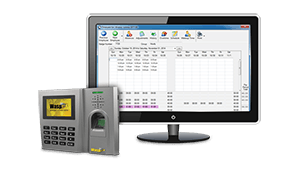
Time and attendance packages have become very popular in the last decade. Not only are they the best way to keep track of employee hours, but many solutions now exists that can be loaded directly onto existing platforms such as a PC. Stand-alone or network versions are available that fit almost any application.
Time and attendance information can be sorted by department, provide detailed reports, track vacation, sick leave, and/or holidays, as well as other advanced features. Such information when combined with sales data or phone statistics can balance profit and service considerations for most companies.
Most time and attendance software packages are loaded directly onto a PC and are network compatible. The software is generally written for both DOS and Windows applications and most systems have the ability to support an external timeclock. The electronic timeclocks usually connect via a serial port on the PC and include magnetic stripe or bar code type readers which must be specified when ordering. The timeclocks may also have a keypad to manually clock-in or clock-out.
Biometric Applications
Biometric Verification is a technology which uses unique characteristic features of an individual to automatically identify a person preferably over cards or badges. There are several biometric technologies including fingerprint, hand geometry, and retinal scan. Each of these verification techniques provide positive identification of individualsÑand there is no need for different forms of ID which can be transferred, forgotten or lost.
There are many popular applications for these biometric identification systems including time and attendance, security and controlled access, computer access, law enforcement and corrections, couriers, banking, department of motor vehicles, etc. Anywhere personal identification is required (such as PIN numbers at financial institutions), biometric verification can be used.
These biometric devices are typically installed at the entrance of a building or secured area and are the "keys" for entry. Fingerprint verifiers, for example, generally allow any finger on either hand to be used for positive identification. Usually an alternate finger is also chosen as a backup in case of injury (cut, scrape, etc.) to the first. Multiple fingerprint templates can be stored locally inside the fingerprint terminal or through a network on the host computer. Most manufacturers also include software that supports common security access features such as unauthorized overtime or early clocking in. In addition, many of these systems can be integrated with existing time and attendance packages through document Windows routines. Therefore, separate systems do not have to be maintained in order to record and restrict access.
Biometric applications are highly specialized and costly to install when compared to card access systems. In addition, if a biometric unit such as a terminal goes down, the manufacturer is the only source for replacement or repair. With other technologies, such as magnetic stripe, input devices are readily available and can be purchased from a variety of vendors. Biometric Identification, however, does have it's benefit. When ultimate security is vital, biometric identification is proven to be the best solution.
Voice Recognition
Although technically, voice recognition is part of biometric verification, it's primary application is to convert speech into commands and not principally for security or access control. Voice recognition has many advantages most notably allowing people to keep their eyes and hands free while "voicing instructions" to the computer. Quite often with voice recognition, the user is required to build instructional voice command sets. These command sets optimize speech recognition which in turn reduce the number of translational errors. Voice recognition is used in many professional fields including healthcare, legal, journal, publishing, etc.Ñgenerally, anywhere requiring hands-free operation.
Dictation is a thing of the past. Doctors and lawyers can dictate minutes, notes, and proceedings directly into most Windows applications. Most voice recognition programs even support the capability to open files, pull down menus, close applications, change Windows, etc.
Voice recognition systems are generally PC based. They include a microphone, software and a digital processor card to interpret the voiced instructions. Some manufacturers have specialized vocabularies to optimize the performance by increasing the recognition accuracy. Other manufacturers systems are best suited to support single voice command statements and cannot interpret sentences. With most systems, however, each one must be "programmed" to recognize a user's voice pattern.
Custom Applications
There are many other applications not mentioned here. There is almost an endless number of applications over the traditional POS and inventory programs. Nearly any job or task where there is a tremendous amount of data input, bar coding, and identification can save both time and money, usually with very little modifications (if any at all) to your existing system. Even if the existing system needs to be updated or modified, bar coding in the long run will pay for itself with the increase of accuracy and efficiency.
All information on this page is the copyright property of System ID Warehouse and cannot be reproduced without the expressed written consent of System ID Warehouse. Copyright ©2001.